Windows 10 / 11  ·  PC Gaming  ·  Home Cinema

One
Launcher.
Every Game.
Every Film.
Every TV Show.

Ludo Sync brings your entire library under one roof. Steam, Epic, GOG, EA App, and Ubisoft Connect unified with your local media collection — scraped, themed, and fully controller-ready.

Free tier available  ·  No credit card required  ·  Windows 10 / 11
Dual Core System
Games + Media
One launcher for everything you play and watch
Metadata Sources
3 APIs
SteamGridDB · IGDB · TMDB
Controller Support
Full XInput
Navigate every screen without touching a keyboard
Scroll
Auto-detects your installed launchers
Steam
Epic Games Store
GOG Galaxy
EA App
Ubisoft Connect
Local Files
RetroArch ⚡
Dolphin ⚡
RPCS3 ⚡
PCSX2 ⚡
App Preview

Every screen, built for the couch.

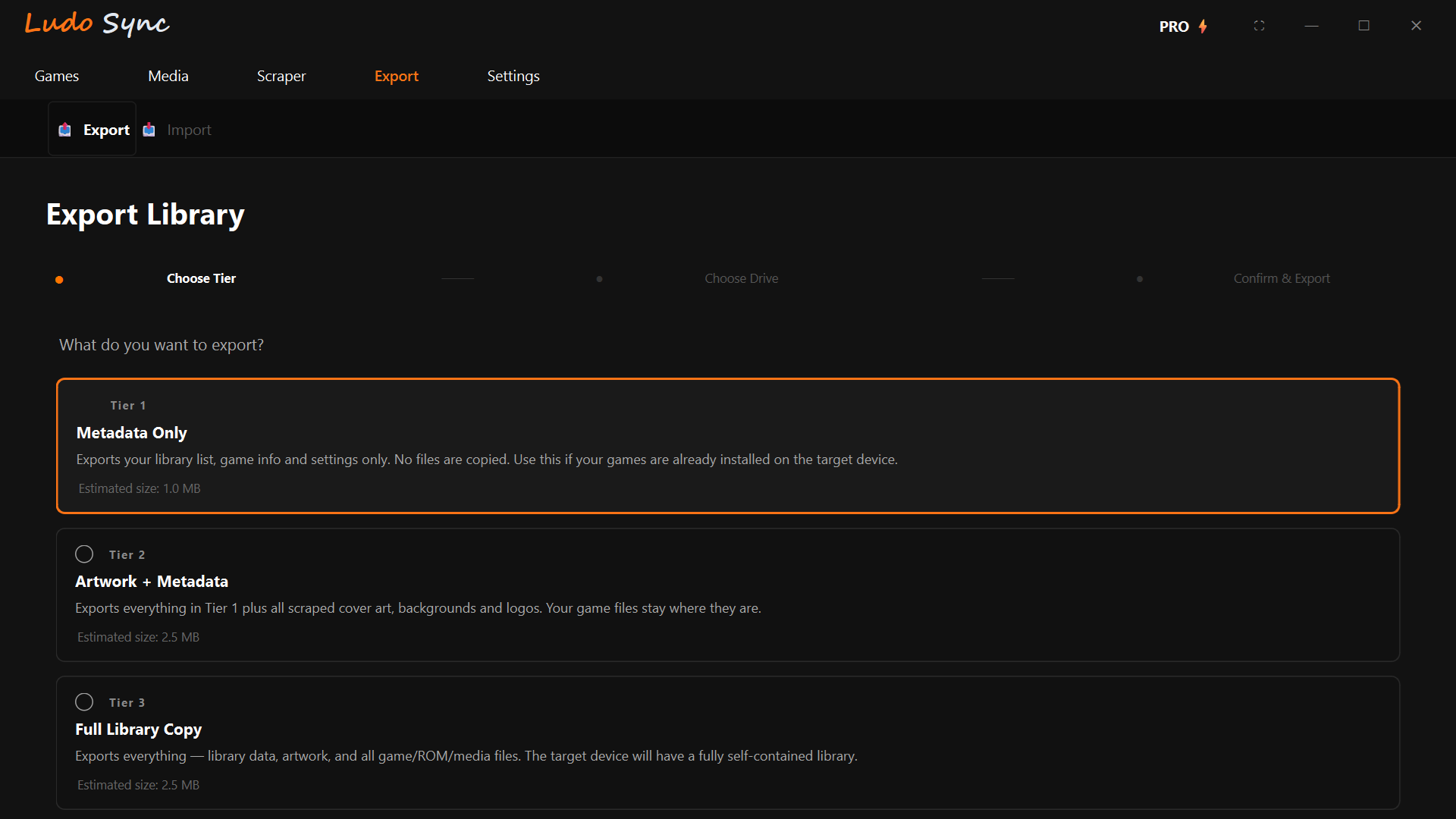
Ludo Sync — Games Library
Games Library
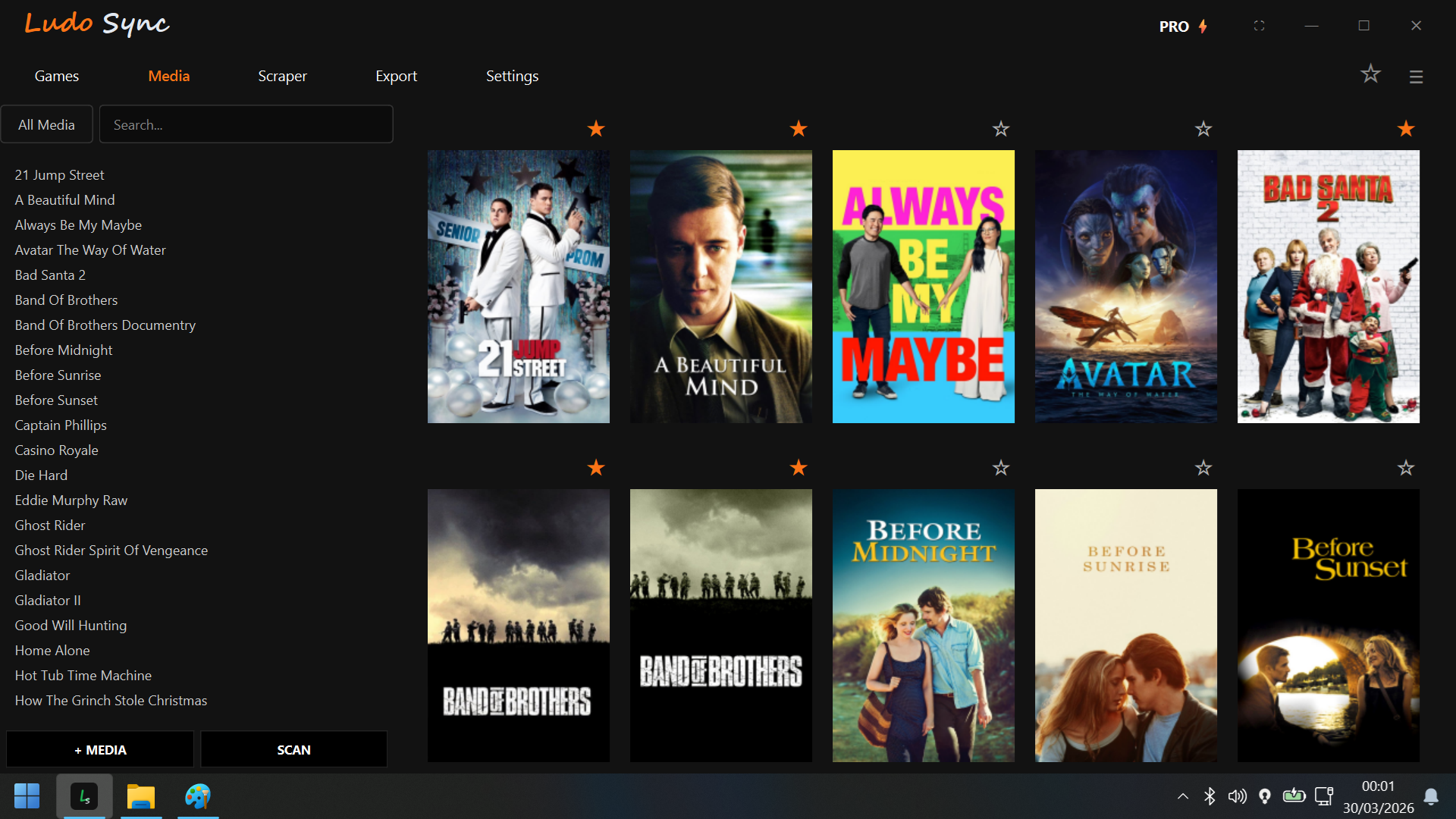
Ludo Sync — Media Library
Media Library
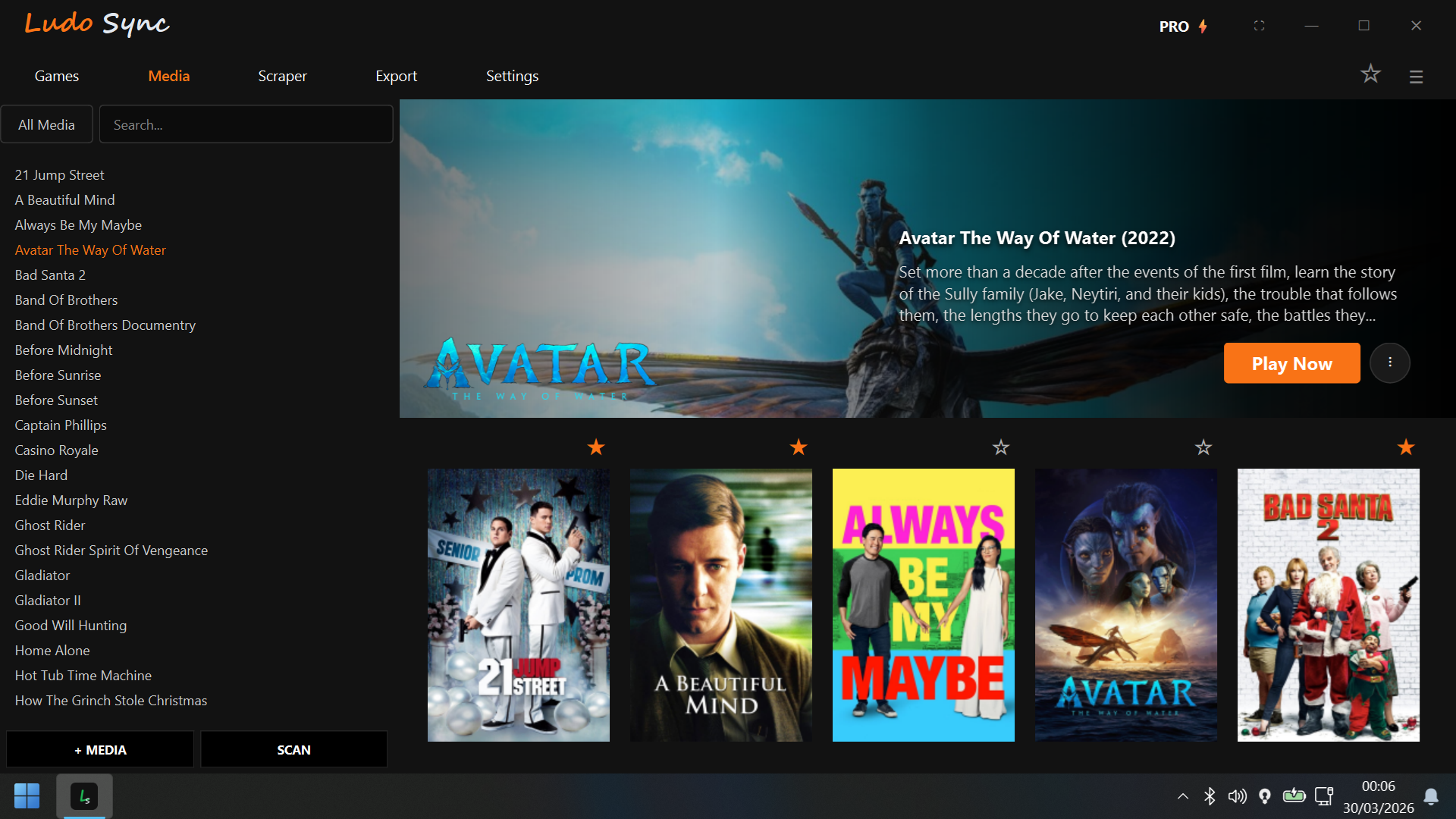
Ludo Sync — Media Spotlight
Media Spotlight
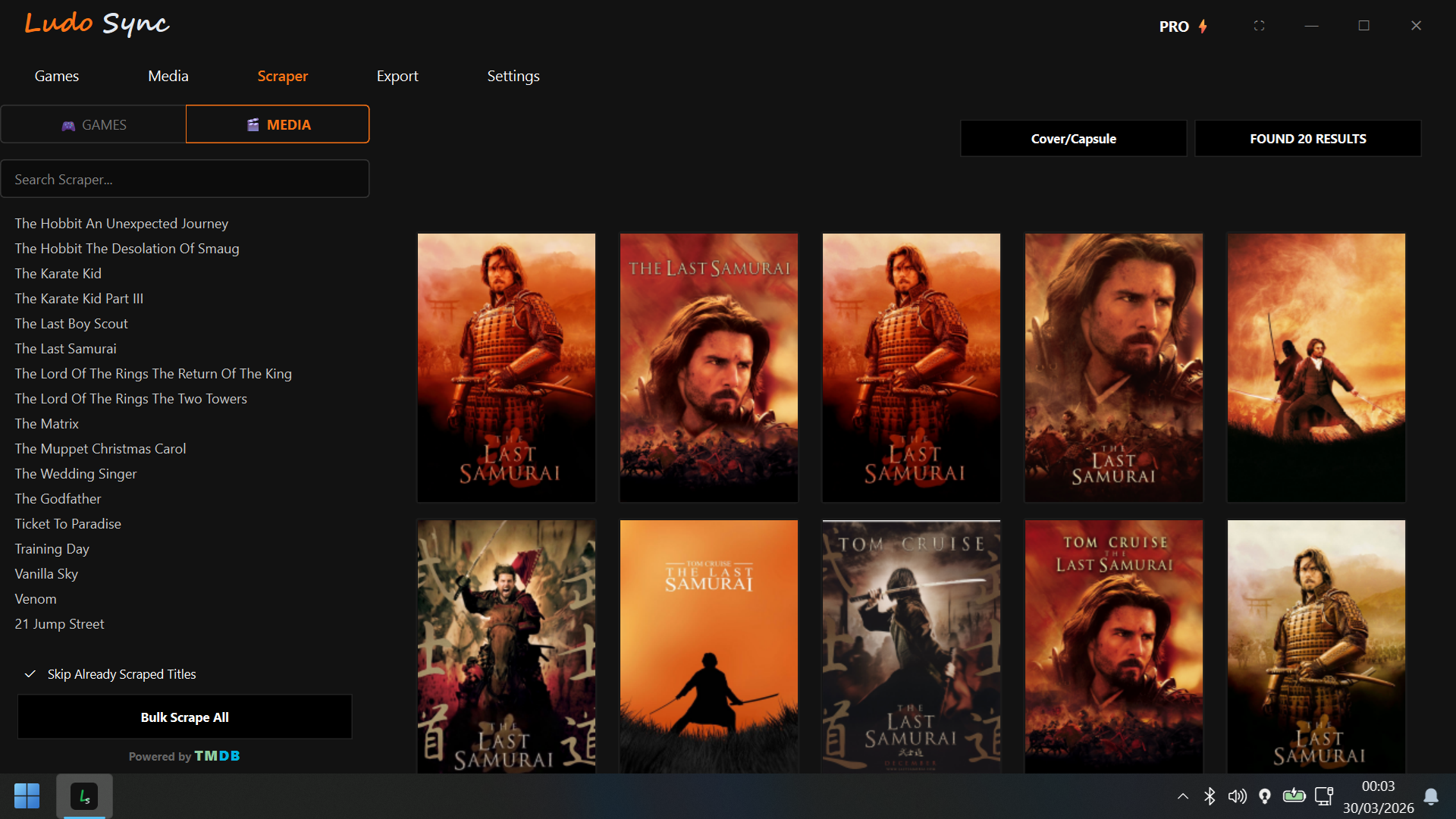
Ludo Sync — Metadata Scraper
Metadata Scraper
Ludo Sync — Built-in Video Player
Built-in Video Player
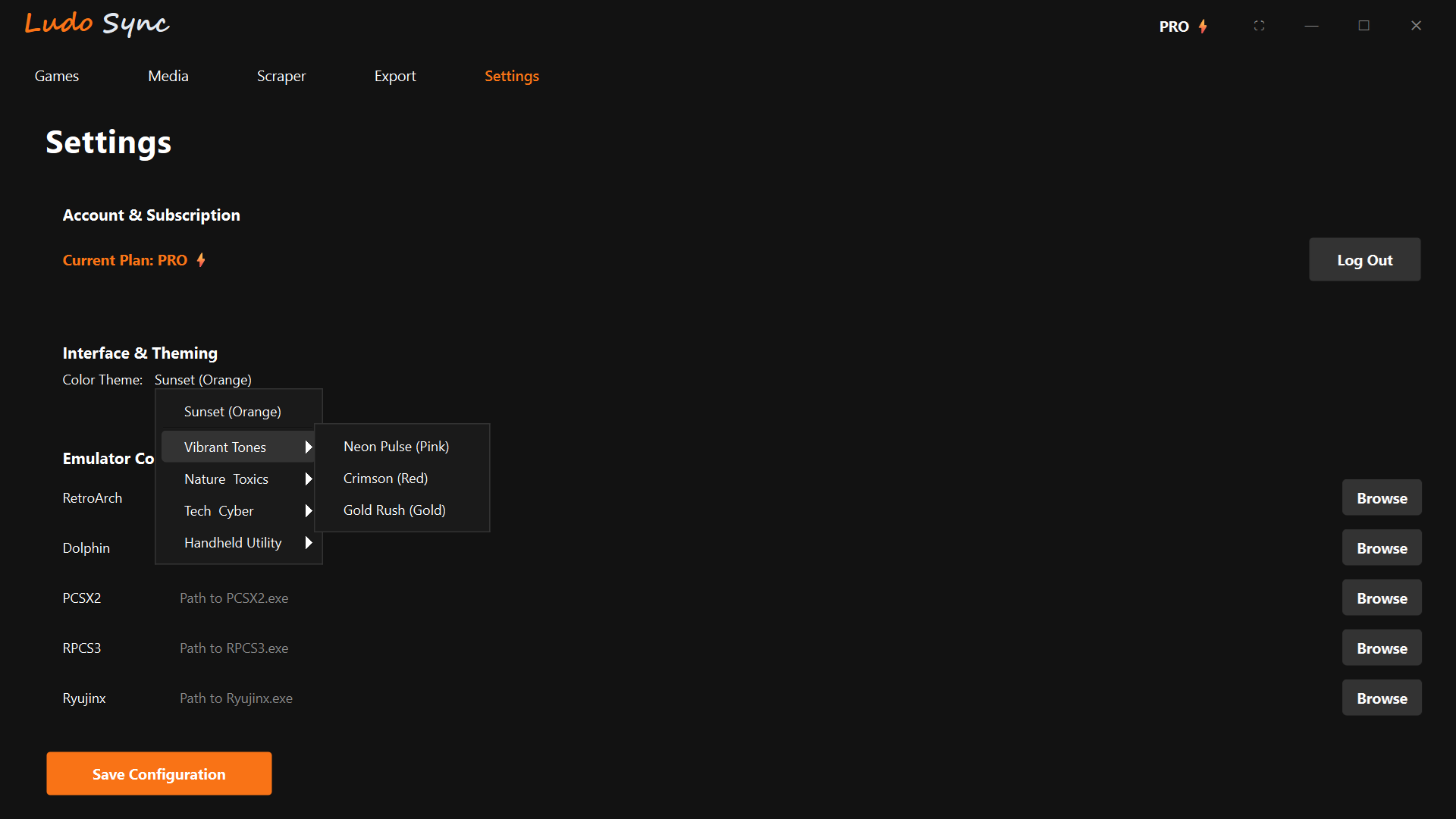
Ludo Sync — Settings
Settings
Ludo Sync — Export & Import
Export & Import
PRO Feature

Take your library anywhere.

Ludo Sync's Export & Import system is built for the way modern PC gaming actually works — across multiple devices, setups, and form factors.

Choose your export tier and move your library to any Windows PC or handheld in seconds. All metadata, artwork, settings, and game files travel with you — no re-scraping, no re-configuring.

Tier 1 — Metadata Only
Library list, game info & settings. Use when your games are already installed on the target device. ~1 MB.
Tier 2 — Artwork + Metadata
Everything in Tier 1 plus all scraped cover art, backgrounds, and logos. ~2–5 MB.
Tier 3 — Full Library Copy
Exports everything — library data, artwork, and all game/ROM/media files. The target device arrives self-contained.
Built for handheld PCs
ROG Ally ROG Ally X MSI Claw Legion Go Steam Deck (Windows)
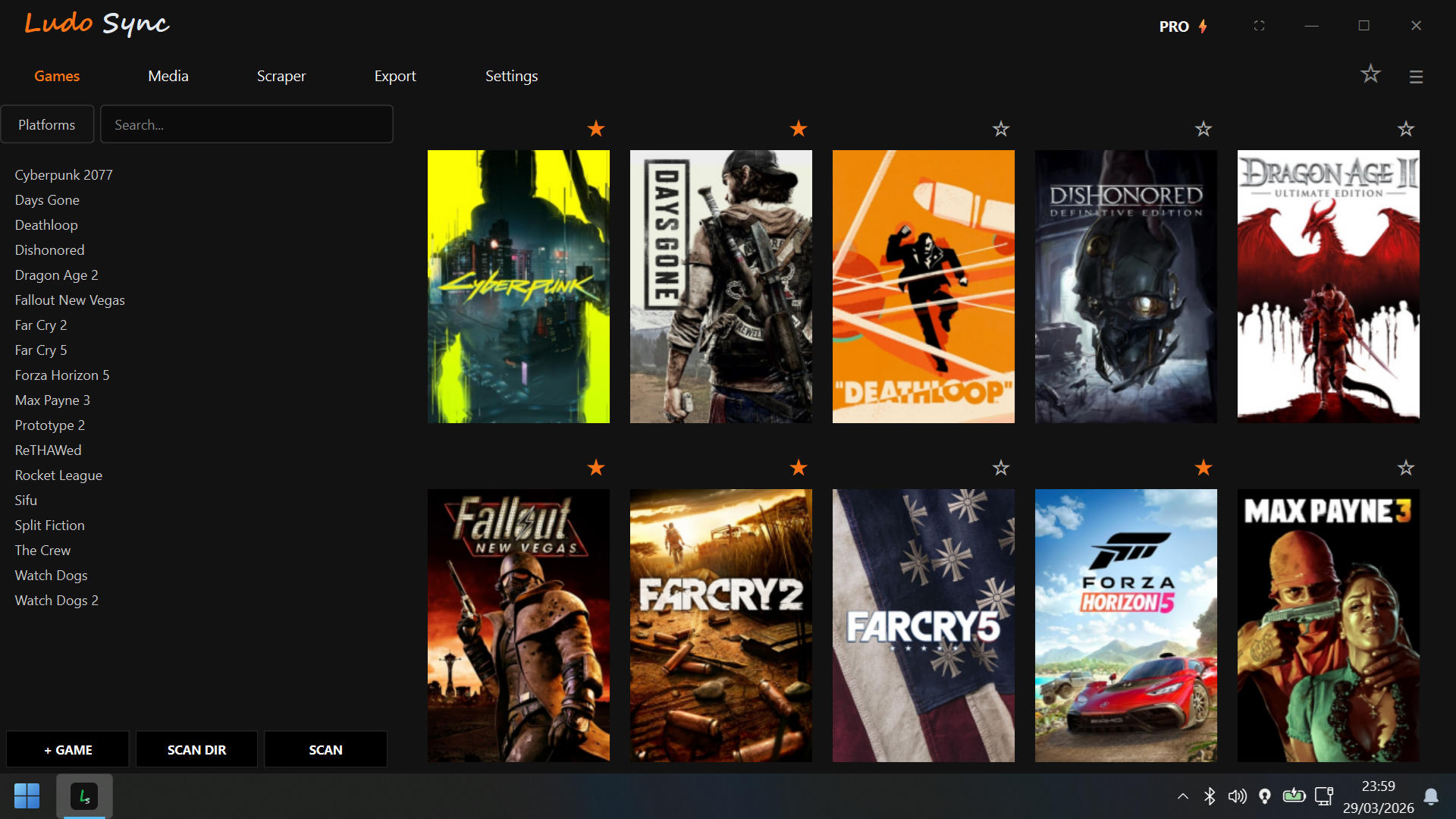
Ludo Sync — Export Library
Export Library — Choose Tier
PRO Export & Import is a PRO-exclusive feature
What is Ludo Sync?

Built for people who take their library seriously.

🎮
Games Core

Auto-detects Steam, Epic, GOG, EA App, and Ubisoft Connect. One unified grid, zero manual setup. Star your favourites, filter by platform, hide titles you've finished, and launch anything in two button presses.

🎬
Media Core

A cinema-grade built-in video player with full OSD and controller support. Scan your local film and TV library, pull rich metadata, poster art and hero images from TMDB automatically. Track watch progress across episodes.

☁️
Cloud Saves PRO

Ludo Sync detects your save file locations automatically via PCGamingWiki and backs them up to the cloud with conflict detection. Your progress follows you across machines with no manual configuration needed.

🎨
Smart Scraper

Pulls cover art, hero images, transparent logos, and metadata from SteamGridDB, IGDB, and TMDB. Bulk scrape your entire library in one session or fine-tune title by title with a visual picker.

🕹️
Controller Native

Almost every screen is navigable with an Xbox controller via XInput — Games, Media, Scraper, Settings, and more. Built to feel like a console dashboard, designed from the ground up for Windows Desktop & handheld PCs like the ROG Ally, MSI Claw, and Legion Go.

Game Properties

Per-game settings including custom launch arguments, Steam compatibility emulator toggle, platform override, playtime tracking, and personal notes. Right-click any title in your library to access.

📦
Portable Export PRO

Moving to a new device? Export your entire library in three tiers — metadata only, artwork + metadata, or a full library copy including game files. Import it on any Windows PC in seconds. Perfect for ROG Ally, MSI Claw, and Legion Go users swapping between home and portable setups.

Pricing

Start free or Go Pro.

Free
£0/forever
  • Games Core or Media Core (your choice)
  • Auto-scan 5 launchers + local files
  • Smart artwork scraper (SteamGridDB, IGDB, TMDB)
  • Full controller navigation
  • Built-in video player
  • Game properties & playtime tracking
  • Sunset Orange theme
  • Cloud save sync
  • Both cores simultaneously
  • 12 premium themes
  • Emulator configuration
Download Free
🔥 Founding Member — First 250 Users
Pro ⚡
£3.99/month
normally £5.99/month
Locked in for 24 months  ·  cancel anytime
  • Everything in Free
  • Both cores simultaneously
  • Cloud save sync, backup & conflict detection
  • Auto save path detection via PCGamingWiki
  • Portable Export & Import (3 tiers)
  • All 12 premium themes
  • Emulator config (RetroArch, Dolphin, PCSX2, RPCS3 & more)
  • Priority support via hello@ludosync.com
Get Founding Member — £3.99/mo
Price rises to £5.99/month after first 250 founding members
Get Started Today

Unify your
library.

Download and install Ludo Sync, then create your account from the login screen. Sign in and you're ready to scan your first game — don't forget to configure the Settings page to enable the scraper functionality.

1
Download & install
2
Create account in app
3
Scan & play